Umless
Rehearsing a talk in your head and rehearsing it out loud are not the same exercise. Out loud, you also hear how often you say um.
- iPhone
- iOS 18 or later
- Free with Pro option
- English and Turkish
- Nothing uploaded
One Rehearsal, One Scorecard
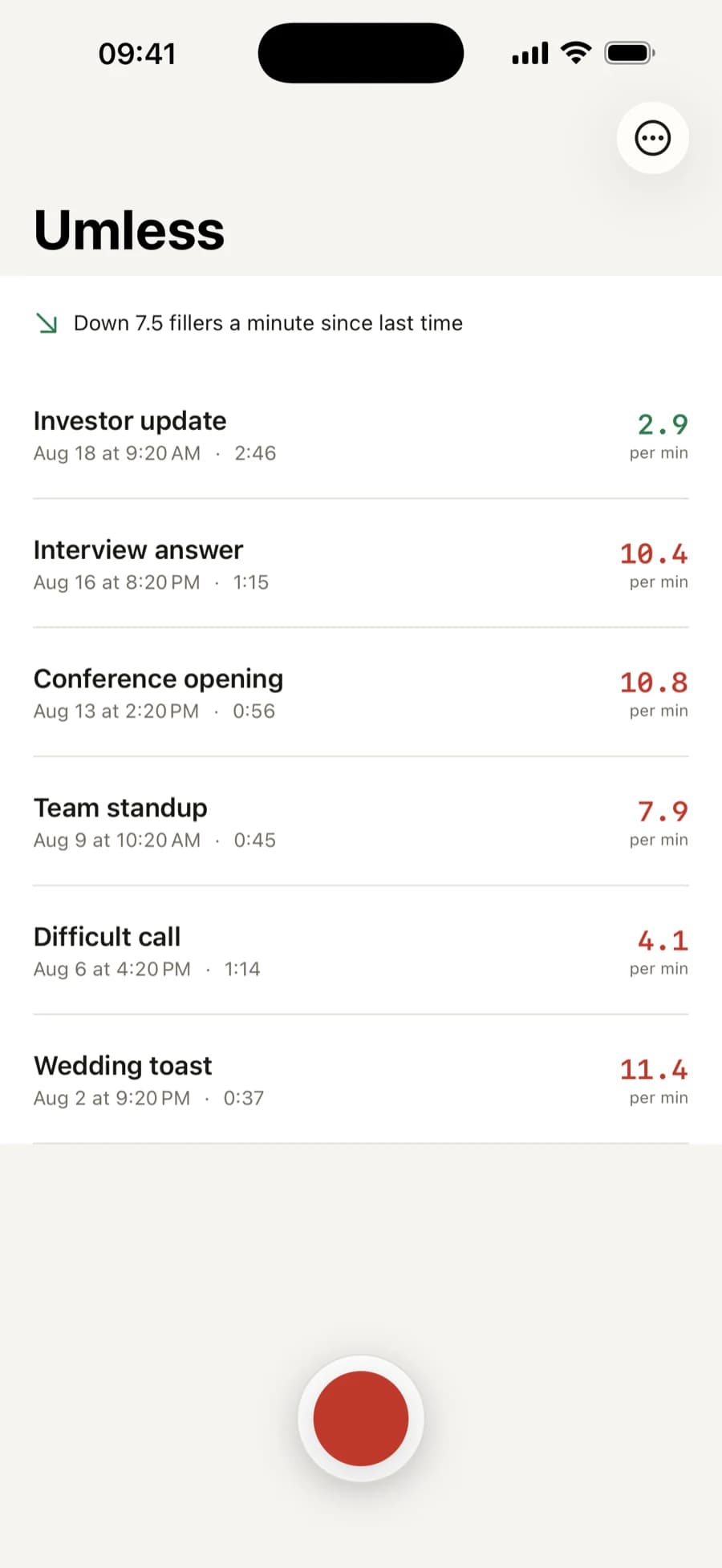
Real screens from the app. Record, read the numbers, and watch the filler rate come down from one rehearsal to the next.
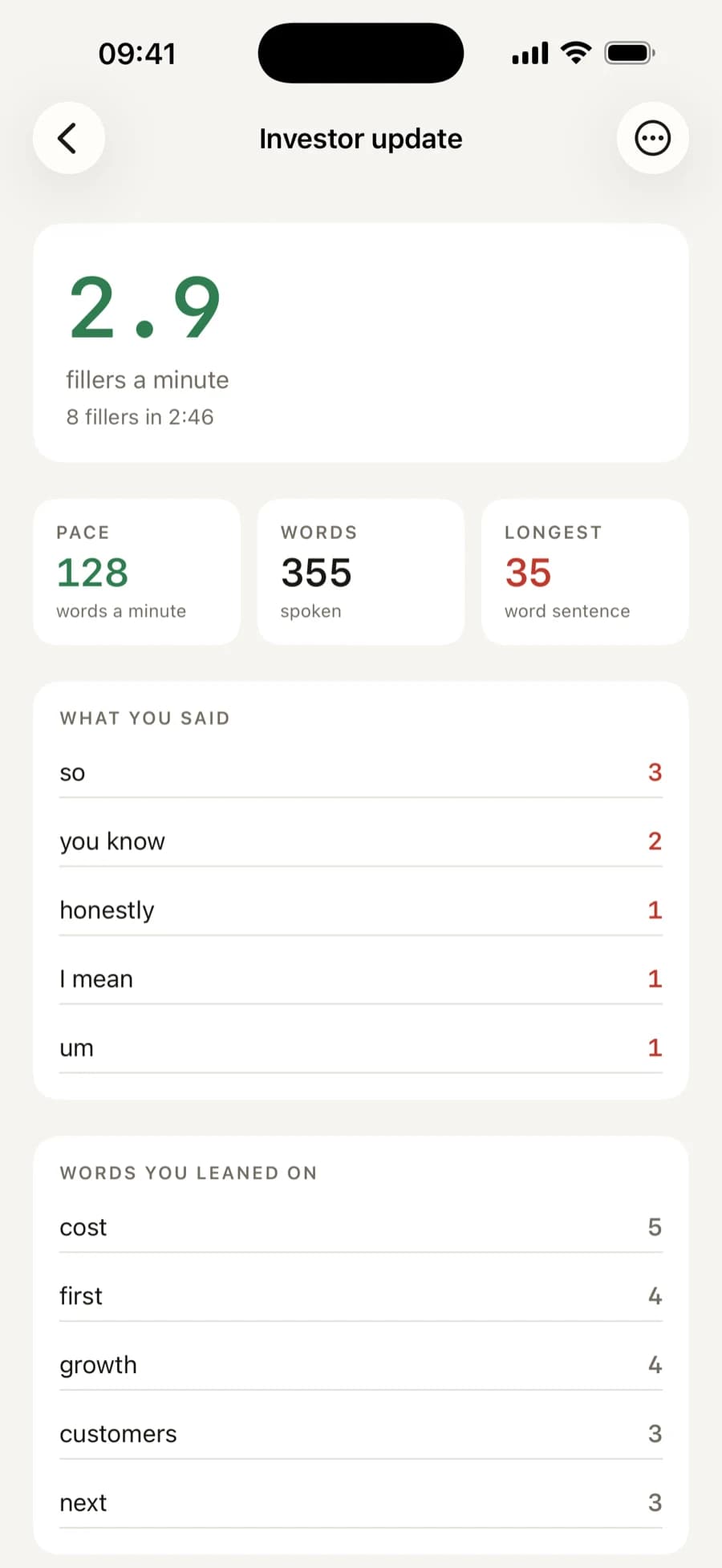
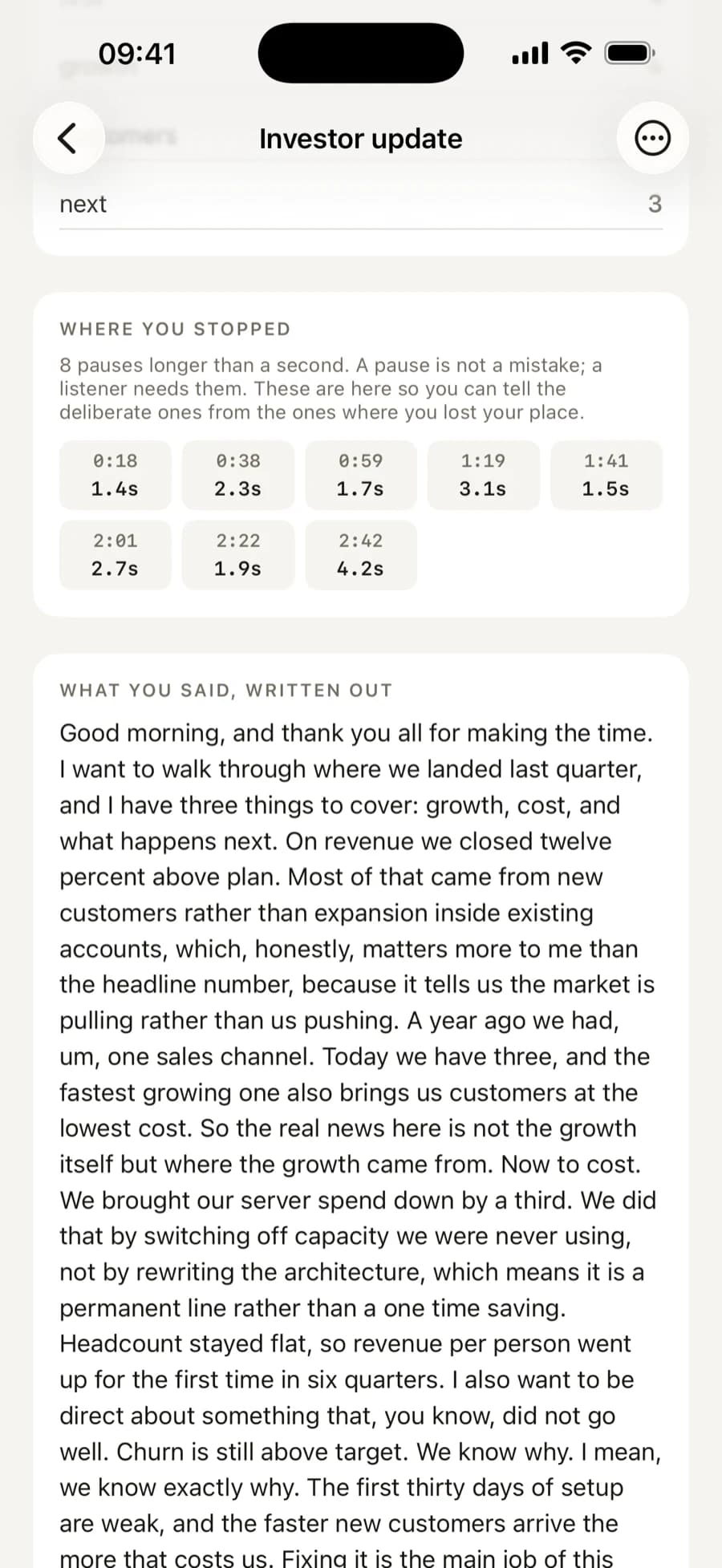
Fillers a minute leads, because it is the number that moves once you start paying attention.
Everything in the First Version
Counts the Words You Did Not Mean to Say
Um, uh, like, you know, I mean, basically. Each is found where you said it, so the count is a place in the recording rather than a grade. The same filler said twenty times is one habit, and the report treats it as one.
Counts the Sounds, Not Only the Words
"Errr", "ummm", "aaah". iOS strips these out when it turns speech into text, so they never reach the transcript. Umless finds them in the recording instead: a silent gap between two words is a pause, and a gap you were making a sound through is a hesitation.
Knows Turkish Fillers
Şey, yani, hani, işte, aslında, falan. Filler words do not translate, so each language gets its own hand written list rather than a translated interface. An app built to count um hears nothing in a Turkish rehearsal.
Measures Your Pace
Words a minute, coloured against the range a listener finds comfortable. Too fast and you lose them; too slow and they drift. The number is worked out from the real length of the recording, not an estimate.
Shows Where You Stopped
Every silence a listener would notice, with when it happened and how long it ran. A pause is not a mistake, and the app says so. These are here so you can tell the deliberate ones from the ones where you lost your place.
The Whole Thing, Written Out
Speech becomes text on the iPhone itself. You can read back exactly what you said, which is usually more useful than remembering what you meant to say.
Works With No Signal
Recognition runs offline, so a rehearsal on a plane, on a train or in a meeting room with no bars works the same as one at your desk. If you are practising an interview answer, you already know why that matters.
Three Steps, and You Know Where You Stand
1Record
Press the red button and say the thing out loud. A presentation, an interview answer, a difficult call. Stop when you are done.
2Read the numbers
The scorecard arrives a few seconds later: fillers a minute, pace, longest sentence, and how it compares with last time.
3Do it again tomorrow
Say the same thing again and see whether the number came down. The whole app is built around that loop, which is why there is no limit on rehearsing.
What You Actually See
The scorecard: fillers a minute, pace, longest sentence
Every rehearsal, with one line on whether you are improving
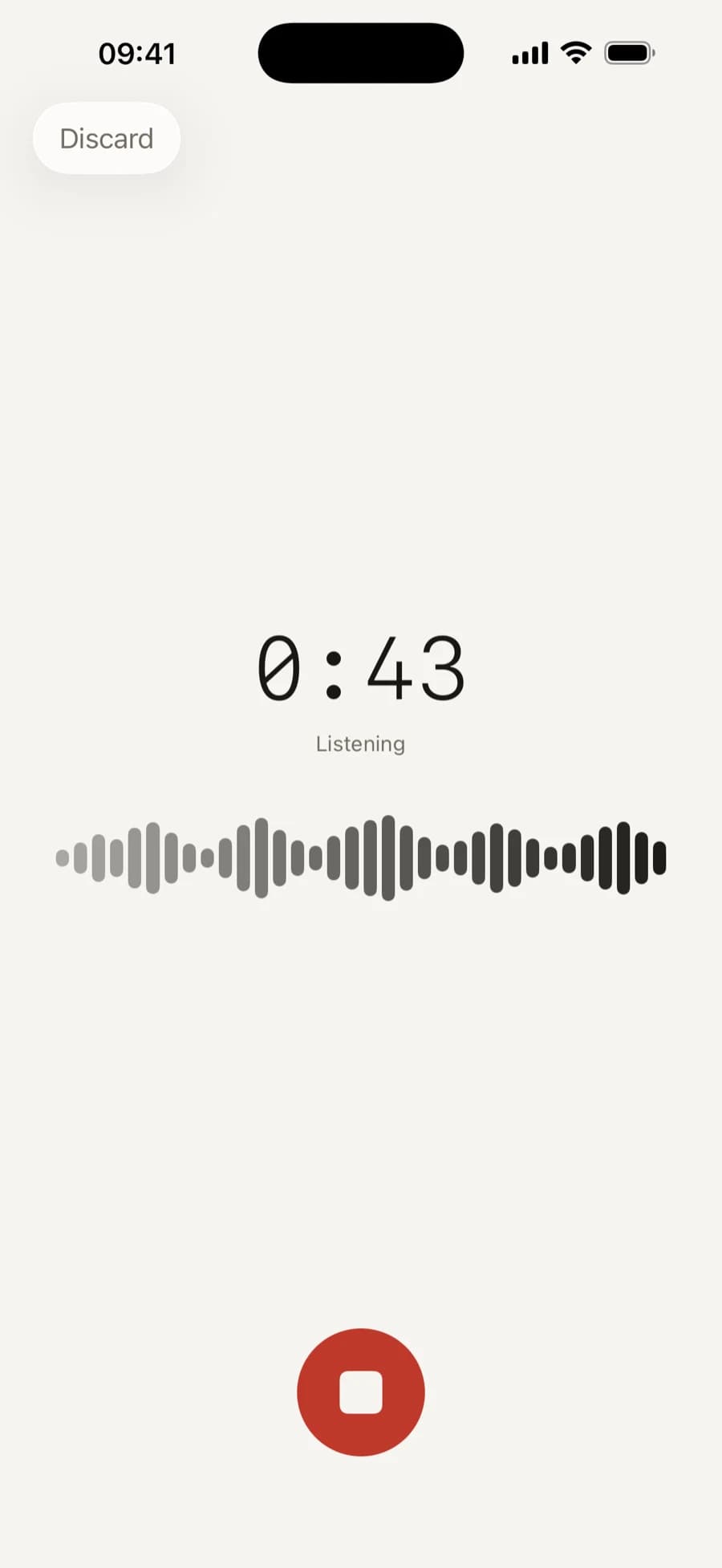
Recording, with a level meter that proves it is hearing you
Which fillers, how often, and the words you leaned on
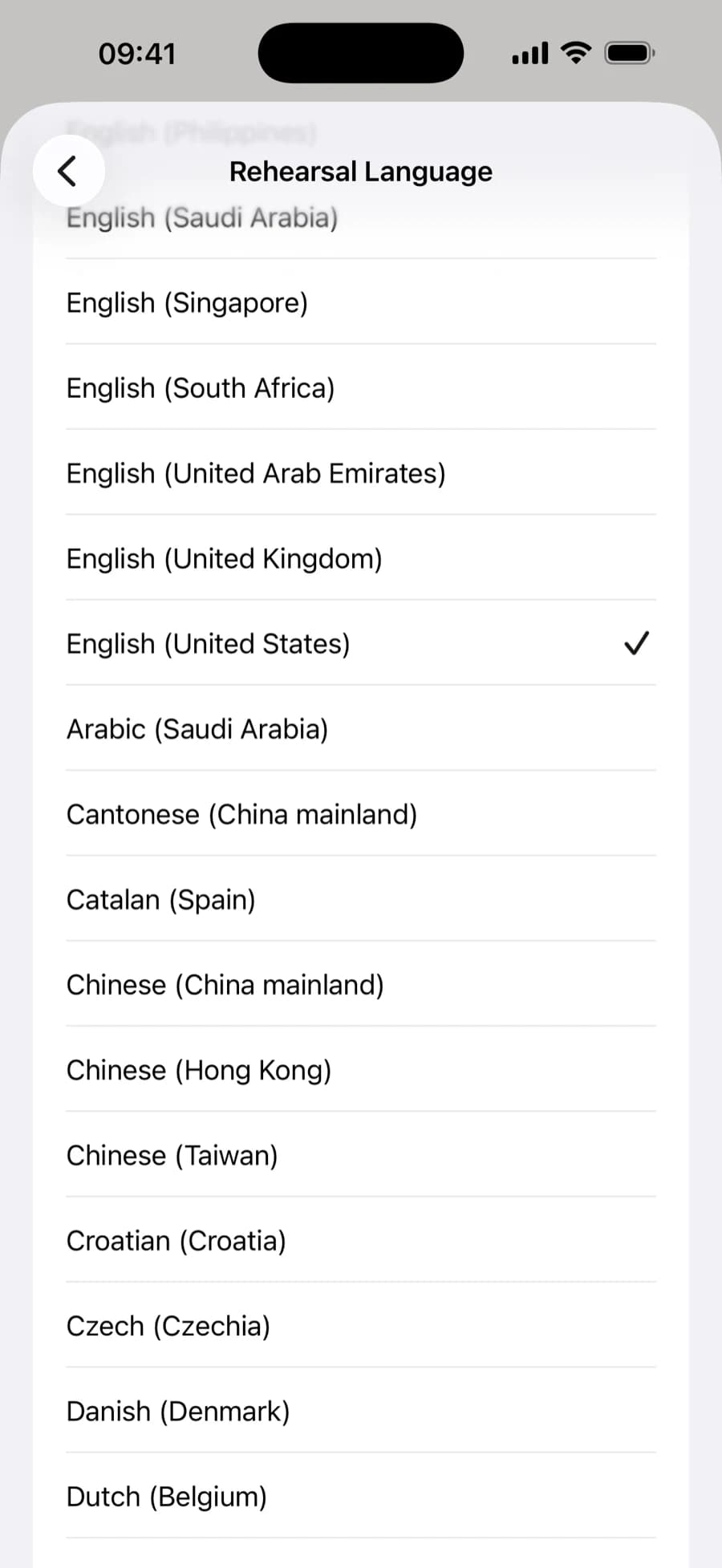
Rehearse in whichever language your iPhone has downloaded
It Measures. It Does Not Coach.
Every competitor tries to be a coach: a daily plan, lesson content, a chatbot to role play with. The product gets heavy and the subscription becomes compulsory. Umless does one thing and gives you a number you can act on.
- Rehearsing is unlimited for everyone, with no minute counter
- Turkish filler words are recognised, which no competitor does
- No account and no sign-in anywhere in the app
- The App Store privacy label reads Data Not Collected
- Speech becomes text on the device; nothing is uploaded
- One Pro price: yearly, or pay once and keep it
Frequently Asked Questions
No. The recording stays on your iPhone and speech is turned into text there. Umless requires on-device recognition on every request, so it never falls back to a network service. When iOS asks for speech permission it shows a standard sentence about data going to Apple; that describes the framework's default, which this app does not use.
Any language your iPhone has downloaded for Dictation. The interface is English and Turkish. Filler words are counted from a list written by hand for each language, which is why the Turkish list is real rather than a translation of the English one.
Yes, but not from the text. Apple's recogniser strips wordless sounds out when it transcribes, measured on a real iPhone: a drawn out "errr" is never written down. So Umless finds them in the recording instead. Between two words it measures how loud the gap was; a quiet gap is a pause, and a gap you were making a sound through is a hesitation. Those count towards your filler rate alongside the words. Delete a rehearsal's audio and the numbers stay, but a future re-analysis can no longer find them.
The detail. Which filler you used and how many times, the words you leaned on, where each pause fell, and the full transcript. The headline numbers, the pace, the longest sentence and the comparison with last time are there without paying, and rehearsing is never limited.
No, and that is the point. It will not tell you what to say or set you a curriculum. It is a measuring instrument: it shows you how you said it and leaves the deciding to you.
Hear What You Actually Sound Like
Free to rehearse, as often and for as long as you like. English and Turkish.
Want an App Like This?
We ship our own apps end to end, from the first sketch to App Store review. The same team can do it for your product.
Mobile Applications
Native and cross-platform iOS and Android apps from a mobile app development agency that ships fast, built with React Native for performance and a clean user experience.
UI/UX Design
User-centered design with wireframing, prototyping, and polished interfaces that drive engagement.
Custom Software Solutions
Custom software development for unique business challenges, with clean and maintainable code that gives your team a competitive edge.