Summarly
Record a meeting, a lecture or a thought, and get the text back on the iPhone itself. Then, if you want it, the points, the decisions and the tasks in six lines.
- iPhone
- iOS 18 or later
- Free with Pro option
- English and Turkish
- Works offline
From an Hour of Talking to Six Lines
Real screens from the app. Record, read the text, take the summary, and hand it on in whatever format you need.
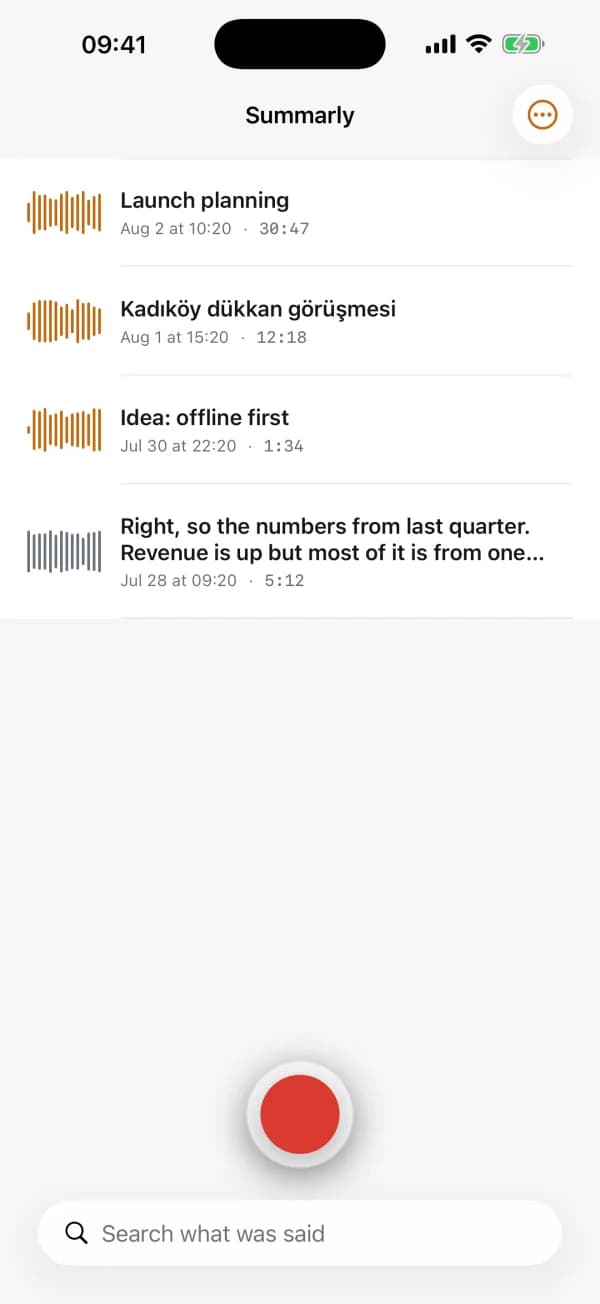
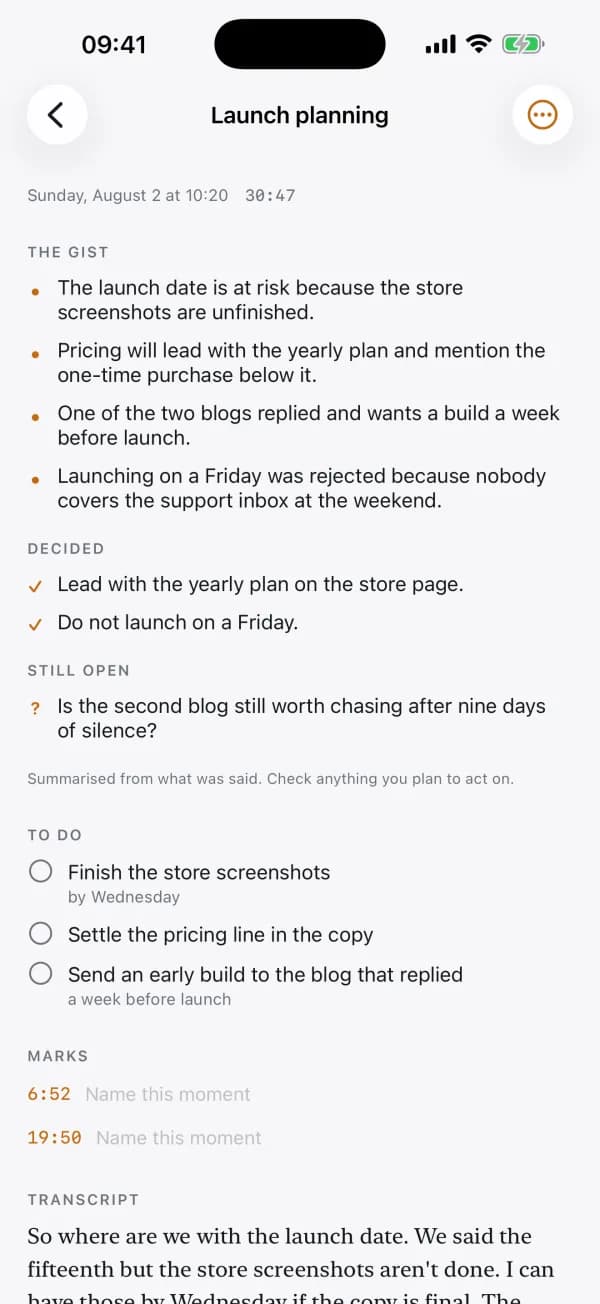
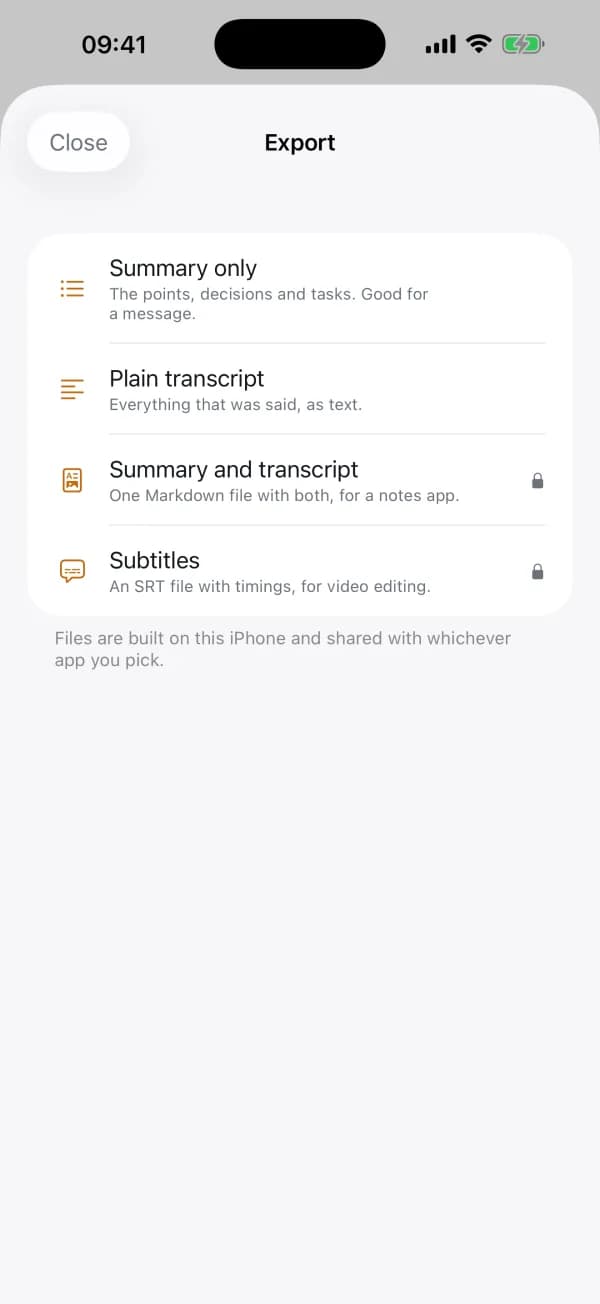
Everything you have recorded, newest first, with a waveform for each and one button to start another.
Everything in the First Version
Record Without Watching It
One tap starts, and it keeps going when you leave the app or lock the screen. A live indicator sits on the Lock Screen and in the Dynamic Island so you know it is still listening.
Text on the iPhone Itself
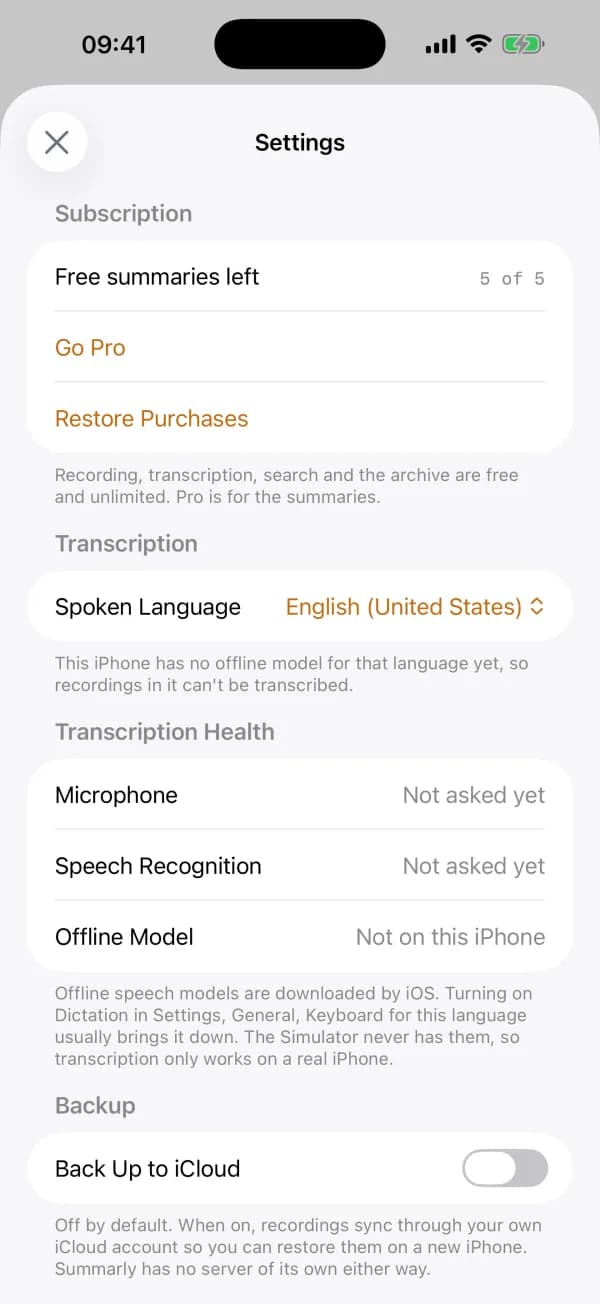
Speech becomes text on the device, in English or Turkish, with no connection and nothing uploaded. Long recordings are handled in pieces, so an hour-long lecture transcribes all the way through.
The Points, Not the Transcript
On iPhone 15 Pro and later, Apple's on-device intelligence pulls out the main points, the decisions that were settled, the questions nobody answered and the things people said they would do.
Search Everything You Ever Said
Every word of every transcript is searchable, and folders keep a project's recordings together. Mark a moment while recording and jump back to it in one tap.
Take It Somewhere Else
Export as plain text, Markdown, SRT subtitles or the audio file. Or delete the audio and keep the text, when storage matters more than the voice.
Works With No Signal
Recording, transcription, search and export all work in a basement meeting room. There is no account to create and no server of ours to be down.
Three Steps, and the Meeting Is Written Down
1Record
Tap the button and put the phone down. Leave the app, lock the screen, take a call back afterwards; it keeps recording either way.
2Read the text
The recording turns into text on the device as soon as it stops. Fix anything the recogniser misheard, and tap a line to hear that moment again.
3Take the summary
Tap Summarise for the points, decisions, open questions and tasks, then export whichever format the next person needs.
What You Actually See
The library, newest first, with a waveform for each recording
A recording: the summary above, the timed transcript below
Export: text, Markdown, SRT subtitles or the audio file
Settings, including what this iPhone can transcribe offline
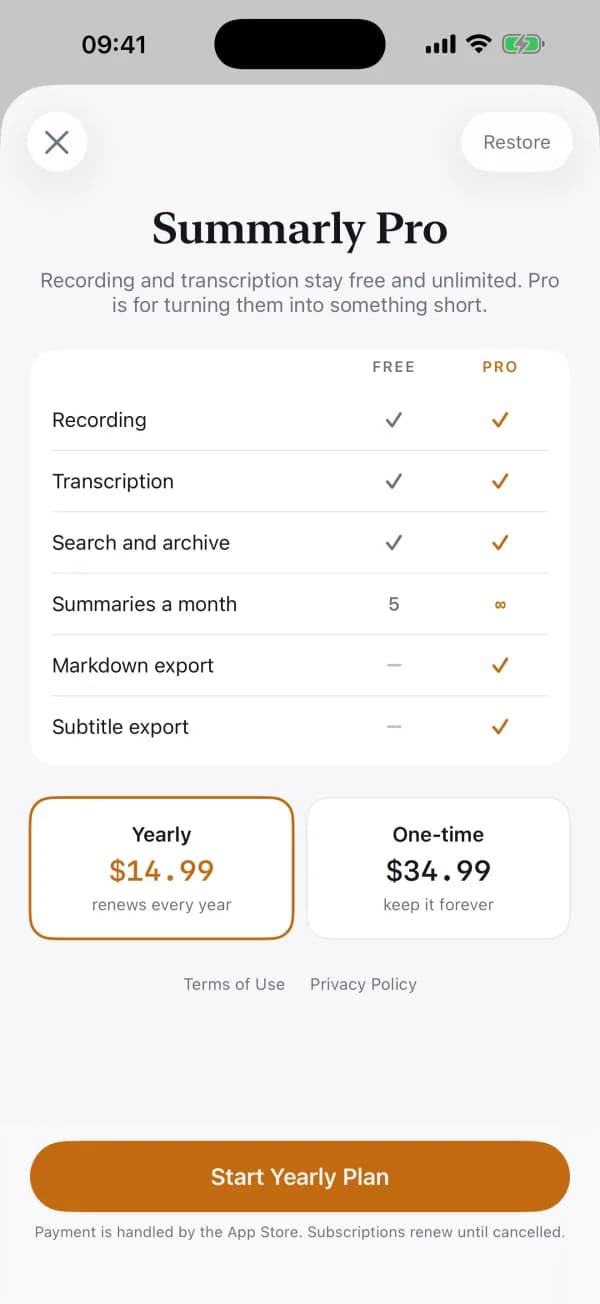
Free and Pro, side by side, with nothing hidden
The Recording Never Leaves the Phone
Every other meeting notetaker is a cloud service: an account, a server that holds your recordings, and a monthly cap on minutes. Summarly does the whole job on the iPhone, which is why it still works with no signal and why there is nothing to trust us with.
- No account and no sign-in anywhere in the app
- The App Store privacy label reads Data Not Collected
- Speech recognition runs offline, not on a server
- Recording, transcription, search and the archive are free and unlimited
- iCloud backup is off by default and uses your own iCloud
- One Pro price: yearly, or pay once and keep it
Frequently Asked Questions
No. There is nothing to sign up for and nothing to sign in to. Open the app and record. The recordings, their text and their summaries are stored on the iPhone itself.
No. Speech recognition runs on the device, and the summaries use Apple's on-device intelligence, so neither the audio nor the text is sent anywhere. If you want a backup you can turn on iCloud sync, which uses your own private iCloud account and is off until you turn it on.
Yes, all of it. Recording, turning speech into text, searching and exporting work with no signal, which is the point: meeting rooms and lecture halls are where connections are worst.
Long ones. A single speech request stops early on lengthy audio, so Summarly splits the recording into pieces, transcribes each and stitches them back together, and resumes wherever the recogniser stopped listening. An hour-long lecture comes back in full.
Recording, transcription, search and the archive are unlimited on the free plan, and always will be, because Apple's own Voice Memos does that much for nothing. Five summaries a month are free; Pro removes that limit and unlocks Markdown and subtitle export. Pro has one price, either yearly or a single one-time purchase.
Summaries need Apple Intelligence, which means iPhone 15 Pro or later on iOS 26. On earlier iPhones the summary feature is unavailable, and recording, transcription, search and export work exactly the same.
No. Telling speakers apart reliably on the device is not something we can promise yet, so the app does not claim it. The transcript is one flowing text with timings, and the summary draws from all of it.
It is built only from what was said. It does not add advice, opinions or conclusions of its own, and where a passage is garbled it leaves it out rather than guessing. Treat it the way you would treat your own notes and check anything you plan to act on.
Summarly is in English and Turkish, transcribes both offline, and runs on iPhone with iOS 18 or later.
Stop Typing Up Meetings You Already Sat Through
Record it once, and read the six lines that mattered.
Want an App Like This?
We ship our own apps end to end, from the first sketch to App Store review. The same team can do it for your product.
Mobile Applications
Native and cross-platform iOS and Android apps from a mobile app development agency that ships fast, built with React Native for performance and a clean user experience.
UI/UX Design
User-centered design with wireframing, prototyping, and polished interfaces that drive engagement.
Custom Software Solutions
Custom software development for unique business challenges, with clean and maintainable code that gives your team a competitive edge.