
From Paper to Sorted in Seconds
Real screens from the app. Scan, check what it read, save, and the archive keeps itself in order.
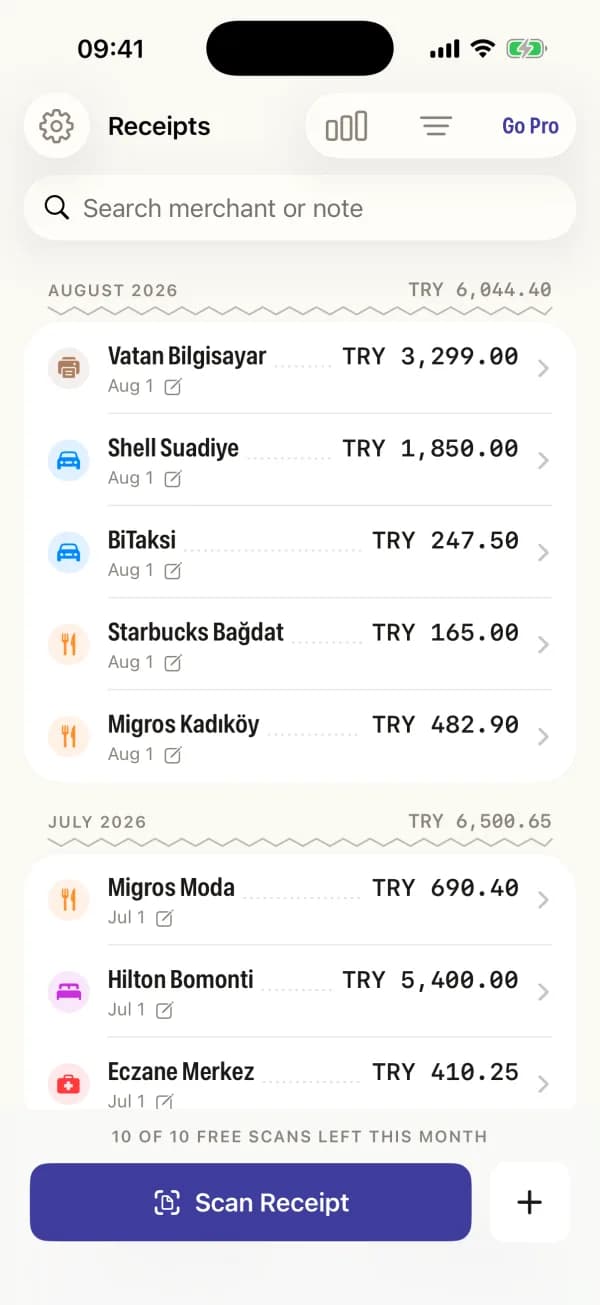
The archive groups receipts by month and totals each one as you go.
Everything in the First Version
Scan and It Fills Itself In
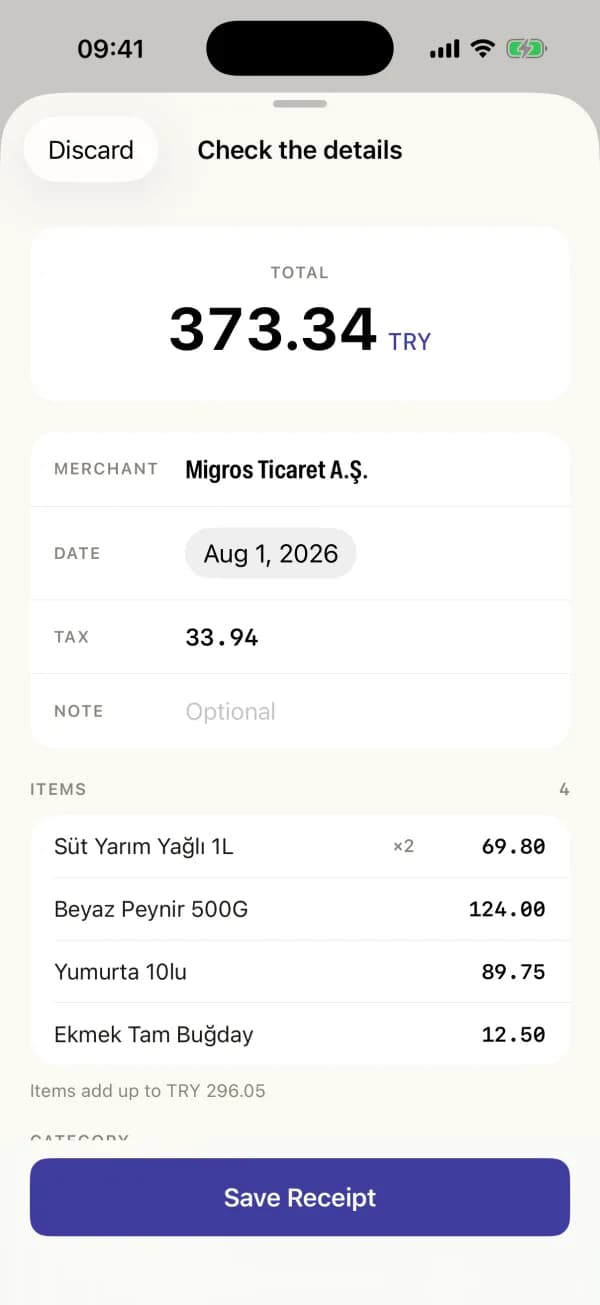
Hold the camera over a receipt. The merchant, total, tax, currency, date and category are read for you, and you confirm before anything is saved.
Add Without a Receipt
Lost the paper, or paying online? Enter it by hand in a few taps. Manual entries never count against the free scan limit.
See Where It Goes
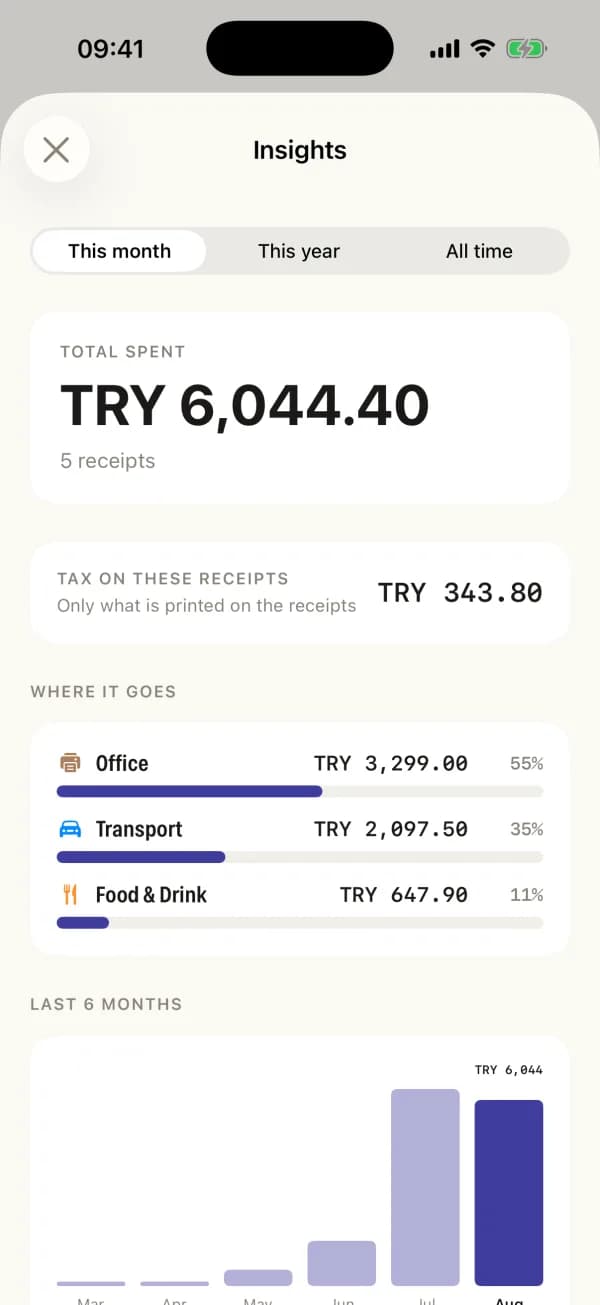
A category breakdown, the tax printed on your receipts, and a six month comparison so an unusual month is obvious.
Export for Your Accountant
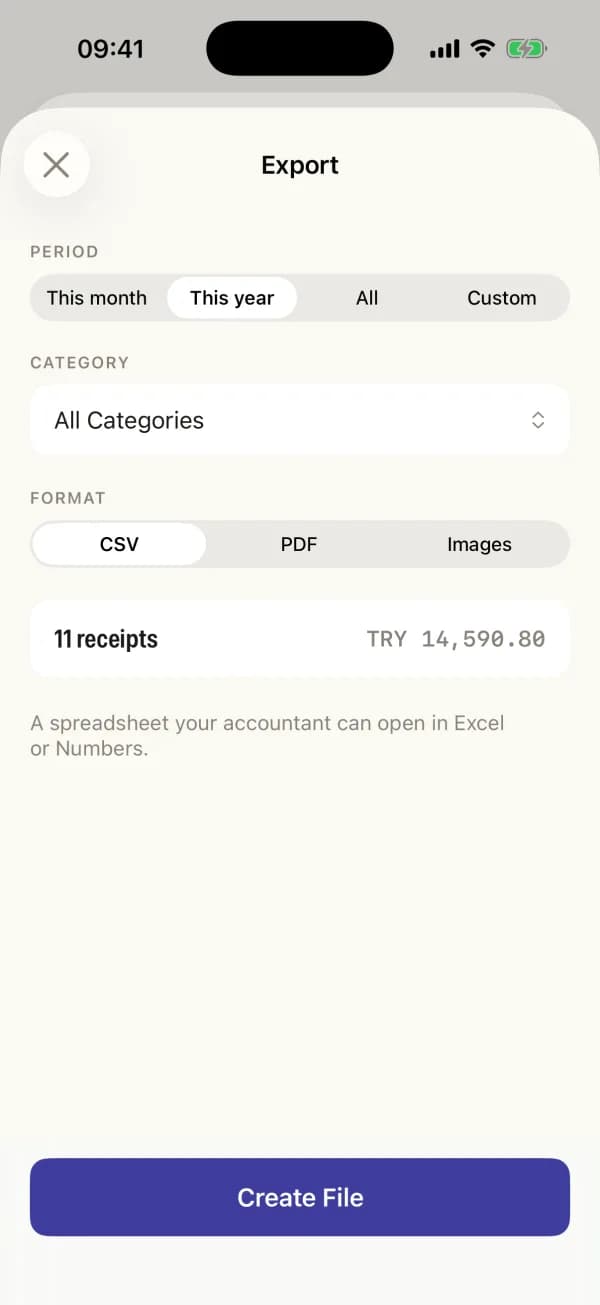
A CSV for spreadsheets, a PDF with a summary table and every receipt image, or images only, one per page. Any date range you pick.
Works With No Signal
Reading a receipt happens on the iPhone itself, so a basement restaurant with no bars is not a problem.
Nothing Leaves the Phone
No account to create and no server of ours to sign in to. Turn on iCloud backup if you want it, through your own iCloud.
Three Steps, and the Receipt Is Filed
1Scan the receipt
Tap Scan Receipt and hold the camera over the paper, or pick a photo you already took. Several receipts in one sitting is fine.
2Check what it read
The merchant, total, tax, date and category come back filled in. Anything that looks off is one tap to fix, then you save.
3Export when you need it
At tax time or when an expense claim is due, pick a date range and hand over a CSV or a PDF with the images attached.
What You Actually See
The archive, grouped by month with a running total
The review sheet after a scan, with every field editable
Insights: categories, tax, and six months side by side
Export: CSV, PDF, or images only, for any date range
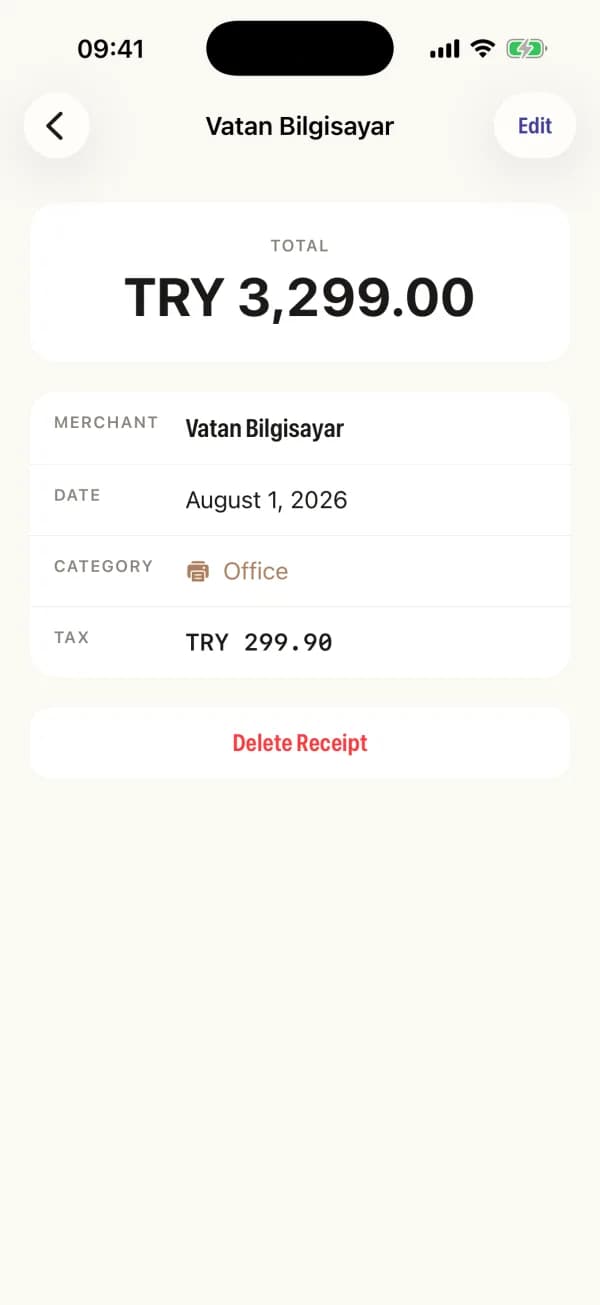
A single receipt with its line items and notes
Your Receipts Stay on Your iPhone
Most receipt apps are corporate expense software with the team features hidden: an account to create, a server to trust, a monthly fee per person. Receiptly is built for one person keeping their own records, so none of that is there.
- No account and no sign-in anywhere in the app
- The App Store privacy label reads Data Not Collected
- Receipt reading runs on the device, not on a server
- iCloud backup is off by default and uses your own iCloud
- One Pro price: yearly, or pay once and keep it
- Ten free scans a month, and manual entries do not count
Frequently Asked Questions
No. There is nothing to sign up for and nothing to sign in to. Open the app and start scanning. Your receipts and their images are stored on the iPhone itself.
They stay on your iPhone. Receiptly has no server of its own. If you want a backup you can turn on iCloud sync in Settings, which uses your own private iCloud account, and it is off until you turn it on.
Yes. Reading a receipt happens entirely on the device, so scanning, editing, searching and exporting all work with no signal.
On iPhone 15 Pro and later the app uses Apple's on-device intelligence, which handles unusual receipt layouts well. On earlier iPhones it falls back to on-device text recognition, which still works but is less accurate on messy layouts. Either way you see what was read and can correct any field before saving.
The free version covers ten scans a month, and receipts you enter by hand do not count against that. Pro removes the limit and unlocks CSV and PDF export. Pro has one price, either yearly or a single one-time purchase.
Yes. Export any date range as a CSV for a spreadsheet, as a PDF with a summary table and every receipt image attached, or as images only with one receipt per page.
No, and that is deliberate. It reads and records what is printed on the receipt, including the tax amount when the receipt states one. What counts as deductible is between you and your accountant.
Receiptly is in English and Turkish, and runs on iPhone with iOS 18 or later. Automatic receipt reading is at its best on iPhone 15 Pro and later.
Want an App Like This?
We ship our own apps end to end, from the first sketch to App Store review. The same team can do it for your product.
Mobile Applications
Native and cross-platform iOS and Android apps from a mobile app development agency that ships fast, built with React Native for performance and a clean user experience.
UI/UX Design
User-centered design with wireframing, prototyping, and polished interfaces that drive engagement.
Custom Software Solutions
Custom software development for unique business challenges, with clean and maintainable code that gives your team a competitive edge.