
From a Full Library to a Clear One
Real screens from the app. Scan, see what is worth deleting, swipe through it, and watch the total add up.
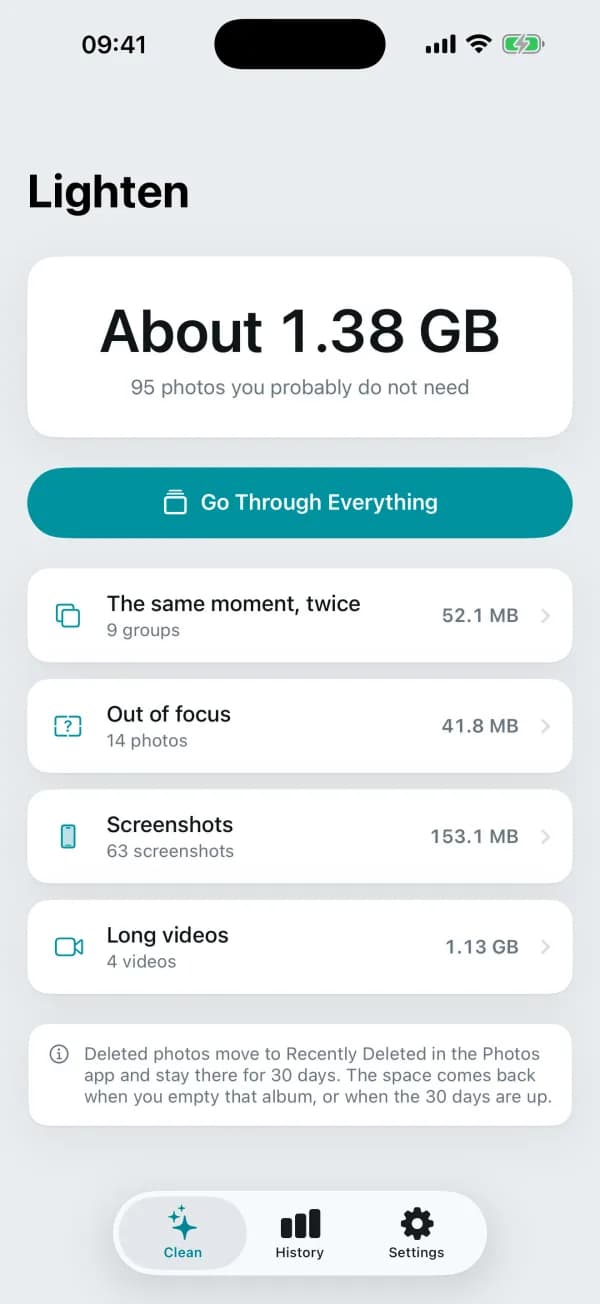
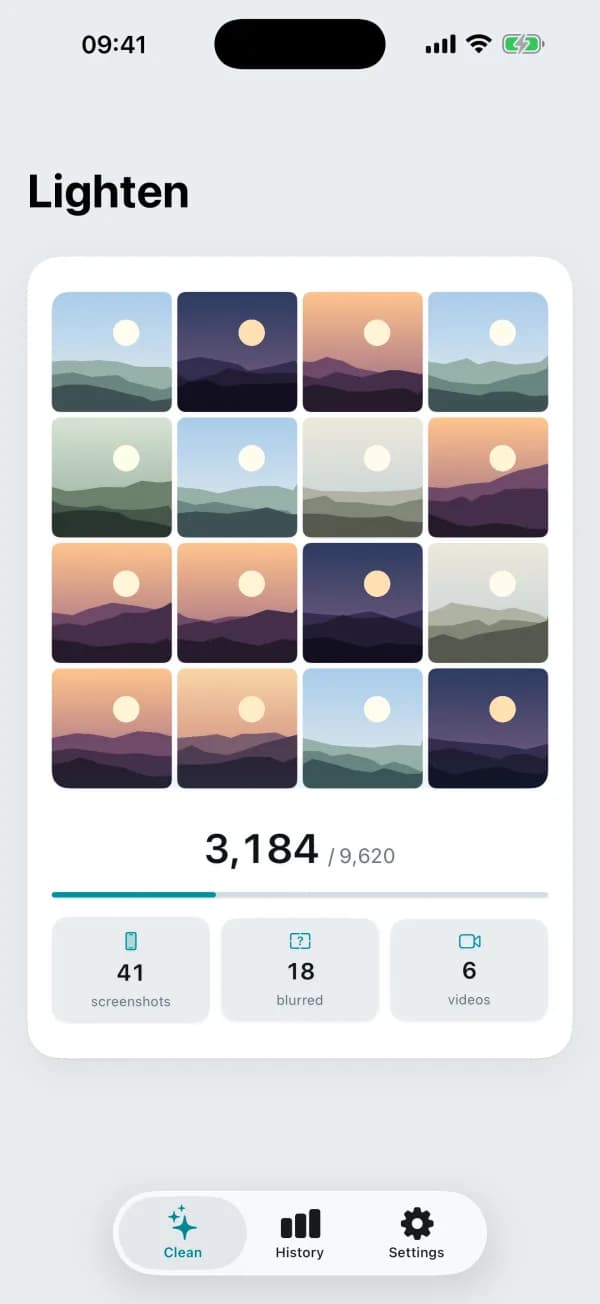
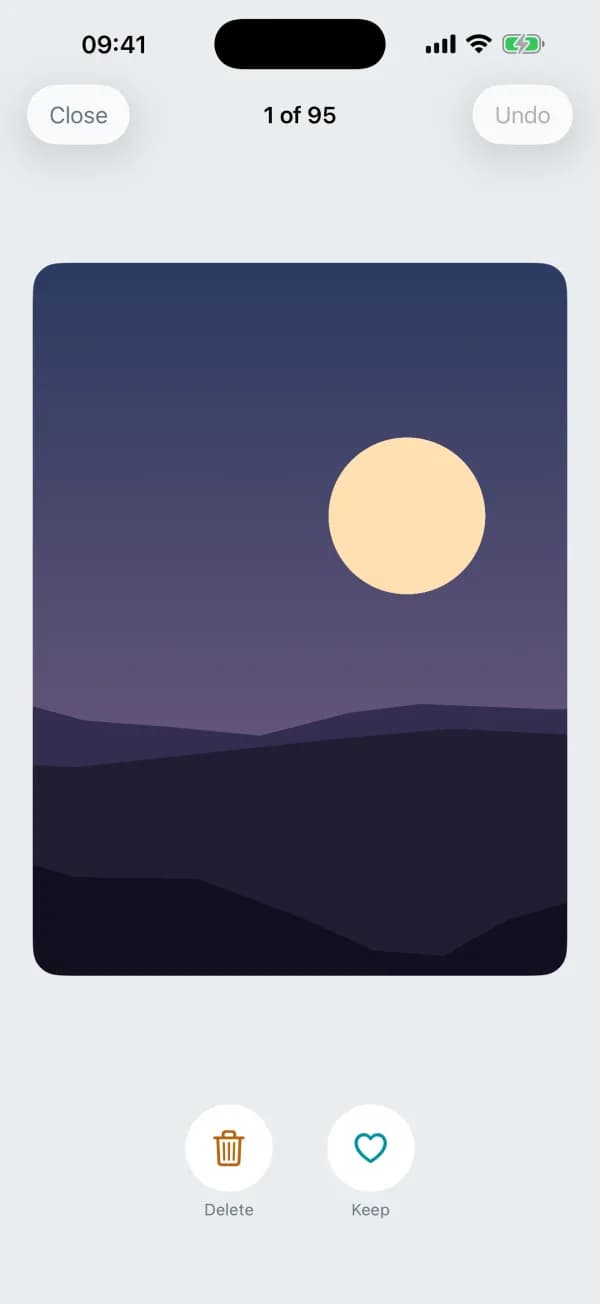
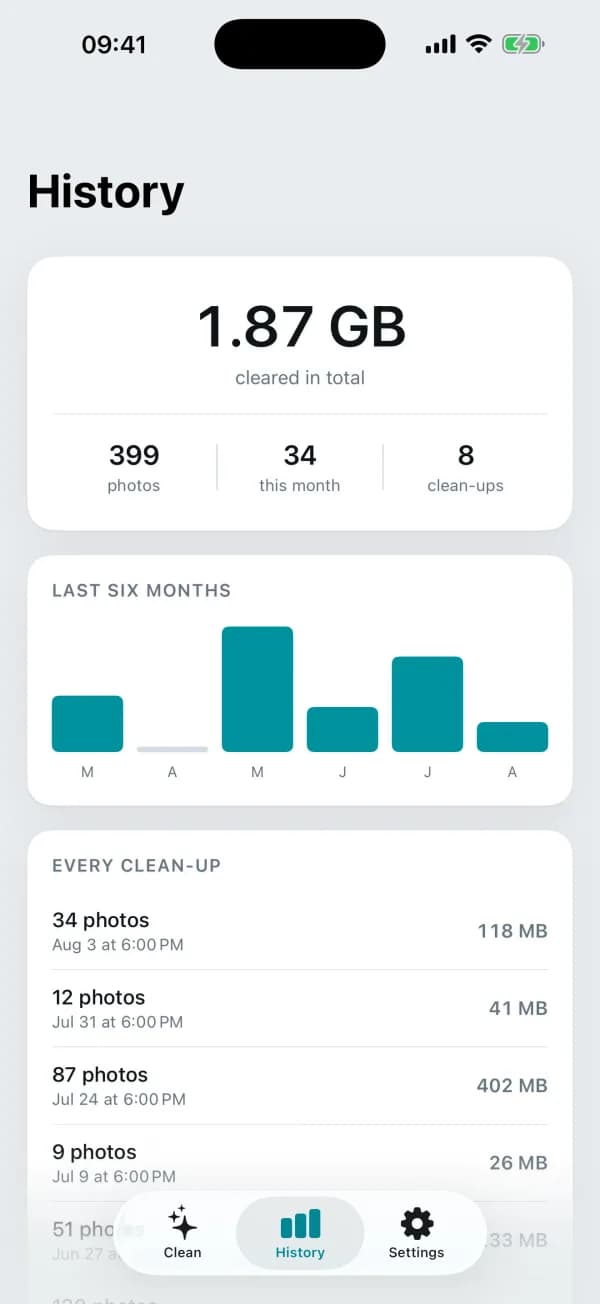
One number for how much is reclaimable, then a way in for each kind of photo.
Everything in the First Version
Finds the Same Moment, Twice
Bursts and retakes are what fill a library. Lighten compares photos taken within seconds of each other, groups the near-identical ones, and picks the keeper for you. Favourites and edited photos are never the one it suggests deleting.
Spots the Blurred Ones
A photo that is out of focus is measured, not guessed at: sharpness is read off the pixels in both directions. Anything it cannot measure is left alone rather than offered up.
Old Screenshots and Long Videos
Screenshots pile up and nobody deletes them. Videos are where the gigabytes actually are. Both get their own list, sorted so the biggest is first.
One Swipe Each
Go through everything the scan found, one photo at a time. Left deletes, right keeps, and Undo takes back the last decision. Or select a whole grid and clear it in one go.
Honest About Recently Deleted
Deleted photos go to Recently Deleted for 30 days, and the space only comes back when that album is emptied. Lighten says so on the main screen instead of claiming credit it has not earned yet.
A Record of What You Cleared
The work is invisible by design: the library looks the same afterwards. History keeps the running total, the photos, and a six-month chart, so there is something to come back to.
Three Steps, and the Library Is Lighter
1Scan
Give it access to your photos and it walks the library on the iPhone itself. Ten thousand photos take under a minute, and the second scan only looks at what is new.
2Go through it
Swipe one photo at a time, or open a category and select a whole grid. Nothing is deleted while you are deciding.
3Confirm
iOS shows its own confirmation sheet and you approve it. Then empty Recently Deleted in the Photos app, and the space is genuinely back.
What You Actually See
One number for what is reclaimable, and a way in for each kind
The scan going through your own library, counting as it goes
One photo at a time: delete, keep, undo
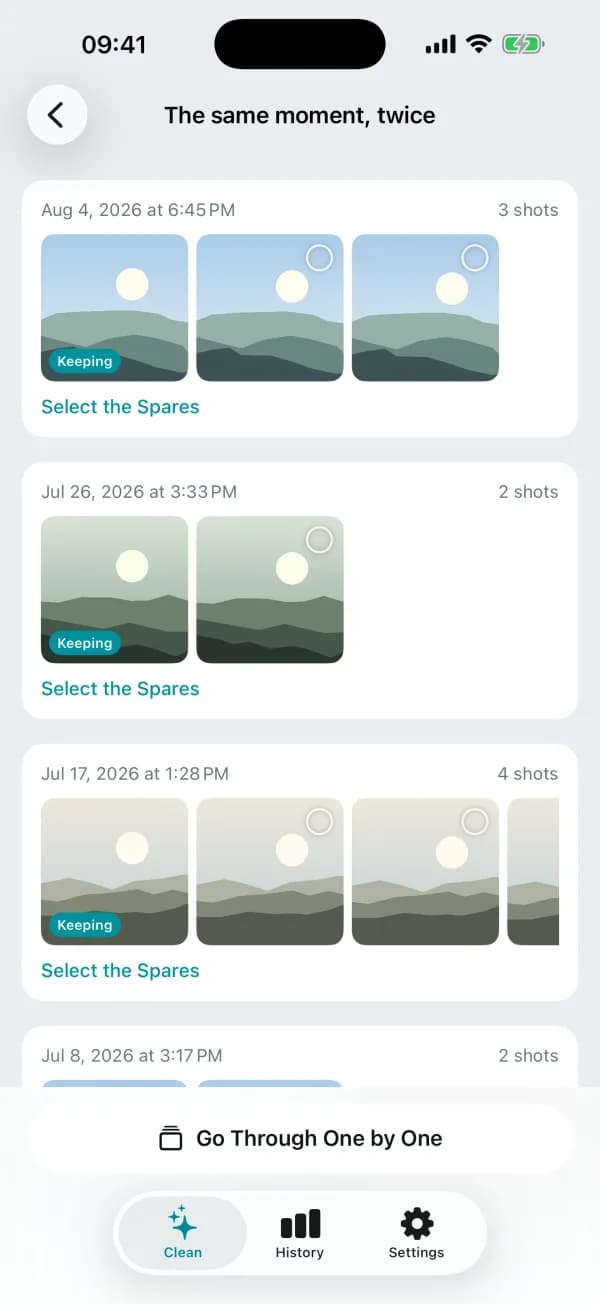
Repeated shots grouped by moment, with the keeper marked
Every clean-up you have done, and six months of it charted
It Actually Lets You Delete Things
The trick this whole category is known for is scanning a library, showing an alarming number, and then asking for money before it will delete anything. Lighten meters the deleting, not the finding, and the free allowance is large enough to clear a real backlog.
- Scanning and reviewing are unlimited and free, forever
- 200 photos a month can be deleted on the free plan
- No account and no sign-in anywhere in the app
- The App Store privacy label reads Data Not Collected
- Photos are compared on the device; nothing is uploaded
- One Pro price: yearly, or pay once and keep it
Frequently Asked Questions
No. The library is read on your iPhone and compared there. To find near-identical shots Lighten computes a short numeric fingerprint of each photo on the device; a fingerprint cannot be turned back into a picture and is only ever compared against others from your own library.
Never. Every deletion goes through the confirmation sheet iOS shows itself, and nothing happens unless you approve it. Until then you are only marking photos.
Because iOS moves deleted photos to Recently Deleted in the Photos app and keeps them for about 30 days. The space returns when you empty that album, or when the 30 days are up. Lighten says this on the main screen rather than taking credit early.
Within a group of near-identical shots it keeps a favourite or an edited photo if there is one, since someone spent time on those. Otherwise it keeps the sharpest, breaking ties towards the larger image. You can change the choice before anything is deleted.
No, and the app says About rather than pretending otherwise. iOS does not tell apps exactly how much storage a photo occupies, so the figures are worked out from each photo's dimensions and format. They are close, not exact.
Scanning your whole library and reviewing everything it finds are free and unlimited. What is metered is the deleting: 200 photos a month on the free plan, which is enough to clear a real backlog. Pro removes that limit and has one price, either yearly or a single one-time purchase.
Yes, all of it. There is no server of ours to be down and no account to sign in to.
Clear the Photos You Never Meant to Keep
Free to scan, free to review, and free to delete two hundred photos a month. English and Turkish.
Want an App Like This?
We ship our own apps end to end, from the first sketch to App Store review. The same team can do it for your product.
Mobile Applications
Native and cross-platform iOS and Android apps from a mobile app development agency that ships fast, built with React Native for performance and a clean user experience.
UI/UX Design
User-centered design with wireframing, prototyping, and polished interfaces that drive engagement.
Custom Software Solutions
Custom software development for unique business challenges, with clean and maintainable code that gives your team a competitive edge.